

Does monday.com Meet Project Controls Security Standards?
In 2026, data security isn’t optional—it’s the foundation of business survival. With cyber threats evolving daily and regulatory requirements tightening globally, organizations need work platforms that don’t just promise security but prove it through certifications, compliance, and continuous monitoring.
monday.com secures over 245,000 customers worldwide with enterprise-grade infrastructure, multiple international certifications, and transparent security practices. Whether you’re managing healthcare data under HIPAA, processing European customer information under GDPR, or handling sensitive financial records, monday.com provides the security framework your organization demands.
This comprehensive guide covers everything you need to know about monday.com’s data security infrastructure in 2026—from ISO certifications and encryption standards to SSO configuration and audit logging. We’ll explore how enterprise teams protect their data, maintain compliance, and meet the most stringent security requirements.
Understanding monday.com’s Security Certifications
monday.com maintains multiple international security certifications that validate its security controls through independent third-party audits. These certifications aren’t one-time achievements—they require continuous compliance and regular recertification.
ISO Security Certifications
monday.com holds five ISO certifications covering different aspects of information security and privacy management:
| Certification | Focus Area | What It Covers |
|---|---|---|
| ISO 27001 | Information Security | Core security management system standards |
| ISO 27017 | Cloud Security | Cloud-specific security controls |
| ISO 27018 | Cloud Privacy | Personal data protection in cloud |
| ISO 27032 | Cybersecurity | Guidelines for cybersecurity practices |
ISO 27701 extends ISO 27001 to include Privacy Information Management Systems (PIMS), demonstrating monday.com’s commitment to privacy beyond basic security requirements.
SOC Audit Reports
Service Organization Control (SOC) reports provide detailed audits of monday.com’s internal controls:
| Report Type | Purpose | Audience |
|---|---|---|
| SOC 1 Type II | Financial controls | Auditors and financial teams |
| SOC 2 Type II | Security, availability, confidentiality | Security and compliance teams |
| SOC 3 | Summary report | General public and prospects |
All SOC reports are updated annually and available through monday.com’s security compliance hub at trust.monday.com.
Regional and Industry-Specific Compliance
monday.com complies with major regulatory frameworks across different regions and industries:
| Framework | Region/Industry | Key Requirements |
|---|---|---|
| GDPR | European Union | Data protection and privacy rights |
| HIPAA | US Healthcare | Protected health information security |
| CCPA | California | Consumer privacy rights |
| LGPD | Brazil | Personal data protection |
TX-RAMP certification enables monday.com to serve Texas state and local government agencies, while DORA (Digital Operational Resilience Act) compliance supports financial institutions across the EU.
Global Compliance Framework Comparison
Understanding how monday.com meets different compliance requirements helps you assess fit for your regulatory needs:
| Requirement | GDPR | HIPAA | CCPA |
|---|---|---|---|
| Data Processing Agreement | ✓ Available | ✓ BAA Available | ✓ DPA Available |
| Data Deletion Rights | ✓ Supported | ✓ Supported | ✓ Supported |
| Audit Trails | ✓ Required | ✓ Required | ✓ Required |
| Encryption Standards | AES-256 / TLS 1.3 | AES-256 / TLS 1.3 | AES-256 / TLS 1.3 |
monday.com AI and Compliance
Even monday AI features maintain the same compliance standards. monday AI is HIPAA compliant and processes data according to your account’s data region settings, ensuring AI-powered features don’t compromise your compliance posture.
Secure your team’s workflow → Book a compliance consultation
Encryption: How monday.com Protects Your Data
monday.com implements military-grade encryption at every layer—protecting data whether it’s stored in databases, moving across networks, or processed in memory.
Encryption at Rest
All data stored in monday.com databases is encrypted using AES-256 encryption:
| Data Type | Encryption Standard | Key Management |
|---|---|---|
| Database records | AES-256 | AWS managed keys (default) |
| File attachments | AES-256 | AWS managed keys (default) |
| Backups | AES-256 | AWS managed keys (default) |
| Enterprise Guardian | AES-256 | Customer managed keys (BYOK) |
AES-256 is the same encryption standard used by the US government to protect classified information. With 2^256 possible key combinations, it’s computationally infeasible to crack through brute force.
Encryption in Transit
Data moving between your browser and monday.com servers is protected using TLS 1.3 (minimum TLS 1.2):
| Connection Type | Protocol | Security Features |
|---|---|---|
| Web browser | TLS 1.3 / 1.2 | Perfect forward secrecy |
| Mobile apps | TLS 1.3 / 1.2 | Certificate pinning |
| API calls | TLS 1.3 / 1.2 | Encrypted authentication tokens |
| Webhook delivery | TLS 1.3 / 1.2 | Verified endpoints |
TLS 1.3 eliminates known vulnerabilities from earlier versions and reduces handshake latency, providing both stronger security and better performance.
Password Security
User passwords receive multiple layers of protection:
| Security Layer | Technology | Purpose |
|---|---|---|
| Hashing | One-way cryptographic hash | Irreversible password storage |
| Salting | Unique random salt per password | Prevents rainbow table attacks |
| Minimum complexity | 8+ characters, multiple character types | Resists brute force attempts |
monday.com never stores passwords in plain text. Even monday.com administrators cannot view user passwords—they only see hashed values.
Advanced Encryption: Guardian Add-On
For enterprises requiring additional encryption controls, monday.com offers the Guardian add-on with two advanced features:
Tenant-Level Encryption (TLE)
Standard monday.com encryption protects all customer data equally. Tenant-Level Encryption adds an extra encryption layer specific to your organization:
| Feature | Standard Encryption | Guardian TLE |
|---|---|---|
| Encryption scope | Platform-wide | Organization-specific |
| Key isolation | Shared AWS keys | Dedicated tenant keys |
| Performance impact | None | Minimal (<5ms) |
Bring Your Own Key (BYOK)
BYOK gives you ultimate control over encryption keys:
- Your keys, your control: Store encryption keys in your own AWS Key Management Service (KMS) or Azure Key Vault
- Revocation capability: Disable access to your data instantly by revoking key access
- Audit independence: Track key usage through your own CloudTrail/Azure logs
- Compliance requirement: Meet regulations requiring customer-controlled encryption keys
Single Sign-On (SSO): Centralized Access Control
monday.com supports multiple SSO methods through SAML 2.0, enabling centralized authentication through your identity provider.
Supported Identity Providers
| Plan Level | Available Providers |
|---|---|
| Pro Plan | Google SSO |
| Enterprise Plan | Okta, OneLogin, Azure AD, Google SSO, Custom SAML 2.0 |
SSO Security Benefits
| Benefit | Description | Security Impact |
|---|---|---|
| Centralized control | Manage access through one system | Faster onboarding/offboarding |
| Password elimination | Users don’t need monday.com passwords | Reduces credential theft risk |
| MFA enforcement | Apply identity provider’s MFA rules | Stronger authentication |
Multiple SSO Provider Support
Enterprise Guardian customers can configure multiple SSO providers simultaneously—ideal for organizations with:
- Acquisitions/mergers: Different entities using different identity systems
- Contractor access: Separate authentication for external teams
- Customer portals: Different SSO for internal vs. external users
When configured with multiple providers, monday.com displays a provider selection screen at login, routing users to their appropriate identity system.
Multi-Factor Authentication (MFA)
For accounts not using SSO, monday.com provides built-in MFA options:
| MFA Method | How It Works | Availability |
|---|---|---|
| Authenticator apps | TOTP codes (Google/Microsoft Authenticator) | All plans |
| SMS verification | Text message codes | All plans |
| Admin enforcement | Require MFA for all users | Admin setting |
Account administrators can enable MFA requirements account-wide, forcing all users to configure two-factor authentication on their next login.
Need SSO configuration help? Connect with our security specialists
Audit Logs: Complete Visibility Into Security Events
Enterprise plan customers get access to comprehensive audit logging covering all security-related account activity.
What Audit Logs Track
monday.com audit logs provide 360-degree visibility into security events:
| Event Category | What’s Logged |
|---|---|
| Authentication | Login attempts, SSO usage, MFA events, failed logins |
| Access changes | Permission modifications, board sharing, team changes |
| Data operations | Item creation/deletion, file uploads, exports |
| Admin actions | Setting changes, user additions/removals, API token creation |
Audit Log Data Structure
Each audit log entry contains:
| Field | Information Provided |
|---|---|
| Timestamp | Precise UTC time of event |
| User ID | Who performed the action |
| IP address | Where the action originated |
| Action type | What was done (e.g., “user_login”, “board_shared”) |
Real-Time Monitoring and Alerts
Audit logs aren’t just historical records—they enable proactive security monitoring:
- Real-time API access: Query logs programmatically for security monitoring tools
- Anomaly detection: Identify unusual access patterns (e.g., foreign IP logins)
- Compliance reporting: Generate activity reports for auditors
- Incident investigation: Reconstruct security events with complete detail
Audit Log Retention
| Plan Level | Retention Period | Export Options |
|---|---|---|
| Enterprise | 12 months | CSV, API |
| Enterprise Plus | 24 months | CSV, API |
See How BoardBridge Handles This Workflow
Book a free demo to see BoardBridge solve this exact problem — live, with your data.
Access Control: Role-Based Permissions
monday.com implements multi-level permission controls to enforce least-privilege access:
Account-Level Roles
| Role | Capabilities | Typical Users |
|---|---|---|
| Account Admin | Full control, billing, security settings | IT administrators |
| Account Member | Access to permitted boards/workspaces | Standard employees |
| Account Viewer | Read-only access | Contractors, stakeholders |
| Account Guest | Limited to specific boards | External collaborators |
Board-Level Permissions
Each board has granular permission settings:
| Permission | Owner | Member | Viewer |
|---|---|---|---|
| View items | ✓ | ✓ | ✓ |
| Add/edit items | ✓ | ✓ | ✗ |
| Delete items | ✓ | ✓ (own) | ✗ |
| Share board | ✓ | ✗ | ✗ |
Column-Level Restrictions
Enterprise customers can hide sensitive columns from specific users while keeping them visible on the same board—ideal for:
- Salary information: Hide compensation columns from team members
- Client contacts: Protect customer data from contractors
- Financial data: Restrict budget visibility to managers only
Data Leak Prevention (DLP)
Guardian add-on includes Data Leak Prevention features:
| DLP Feature | Protection | Use Case |
|---|---|---|
| IP restrictions | Limit access to approved IP ranges | Office/VPN-only access |
| Download controls | Disable file downloads | Prevent data exfiltration |
| Export restrictions | Control Excel/PDF exports | Limit bulk data extraction |
Infrastructure and Physical Security
monday.com is built entirely on Amazon Web Services (AWS) infrastructure, leveraging AWS’s world-class physical and environmental security controls.
Data Center Locations
| Region | AWS Location | Availability |
|---|---|---|
| US (Default) | Northern Virginia (us-east-1) | All plans |
| EU | Frankfurt, Germany (eu-central-1) | Enterprise plan |
| Australia | Sydney (ap-southeast-2) | Enterprise plan |
All data centers operate across multiple Availability Zones for redundancy. Each Availability Zone is a physically separate facility with independent power, cooling, and networking.
AWS Physical Security Standards
monday.com’s infrastructure inherits AWS’s rigorous physical security:
- 24/7 security staff: Professional security personnel at all facilities
- Biometric access controls: Multi-factor authentication for data center entry
- Video surveillance: Continuous monitoring of all entry points
- Environmental controls: Fire suppression, climate control, and backup power
- Secure decommissioning: Physical destruction of retired storage devices
Full details are available at aws.amazon.com/security/.
Architecture and Availability
monday.com uses a microservices architecture that isolates failures:
| Architecture Benefit | Security/Availability Impact |
|---|---|
| Service isolation | Component failures don’t cascade |
| Multiple AZs | Continues operating during facility outages |
| Alternative providers | Backup services for critical dependencies |
Enterprise SLA: 99.9% uptime guarantee, with financial credits for non-compliance. Monitor real-time status at status.monday.com.
Disaster Recovery and Business Continuity
| Recovery Metric | monday.com Standard |
|---|---|
| Backup frequency | Continuous replication |
| Geographic redundancy | Multi-region DR sites |
| RPO (Recovery Point Objective) | Minutes |
| RTO (Recovery Time Objective) | Hours |
Backups are encrypted using the same AES-256 standards as production data and stored across multiple geographic regions.
Ready to implement enterprise security? Talk to our security architects
Security Development Lifecycle
monday.com embeds security into every phase of software development:
Secure Development Practices
| Practice | Implementation | Frequency |
|---|---|---|
| Code reviews | Peer review before merge | Every commit |
| Static analysis | Automated security scans | Every build |
| Dependency scanning | Third-party library checks | Daily |
| Penetration testing | Third-party security audits | Annual |
2026 Penetration Test
monday.com’s latest independent penetration test (completed Q1 2026) is available in the security compliance hub. The test covered:
- Web application security: OWASP Top 10 vulnerabilities
- API security: Authentication and authorization flaws
- Infrastructure: Network segmentation and access controls
- Mobile applications: iOS and Android app security
Vulnerability Management
monday.com maintains a responsible disclosure program:
- Security team: Dedicated CISO and security personnel monitor threats 24/7
- Vulnerability patching: Critical vulnerabilities patched within 24 hours
- Customer communication: Transparent disclosure of any security incidents
- Bug bounty program: External researchers incentivized to report vulnerabilities
Recent example: When React2 critical vulnerability CVE-2025-55182 was disclosed, monday.com:
- Immediately scanned all repositories (confirmed no usage)
- Tested public endpoints with detection scripts
- Upgraded React packages as a precaution
- Deployed WAF rules to block potential exploits
- Published a public statement within 24 hours
Mobile Application Security
monday.com’s iOS and Android apps maintain the same security standards as the web platform:
| Security Feature | iOS App | Android App |
|---|---|---|
| HIPAA compliance | ✓ (v3.331+) | ✓ (v3.190715+) |
| TLS encryption | ✓ TLS 1.3/1.2 | ✓ TLS 1.3/1.2 |
| Certificate pinning | ✓ Enabled | ✓ Enabled |
| Biometric authentication | Touch ID / Face ID | Fingerprint / Face unlock |
Certificate pinning prevents man-in-the-middle attacks by validating that the app is communicating with monday.com’s actual servers, not an imposter.
Mobile Device Management (MDM)
Enterprise customers can integrate monday.com mobile apps with MDM solutions:
- App-level encryption: Additional encryption layer for cached data
- Remote wipe: Delete app data from lost or stolen devices
- Conditional access: Require device compliance before allowing access
API Security
monday.com’s GraphQL API provides programmatic access with robust security controls:
API Authentication Methods
| Method | Security Level | Use Case |
|---|---|---|
| Personal API tokens | High | Individual user automation |
| OAuth 2.0 | Very High | Third-party app integrations |
| Short-lived tokens | Very High | Temporary access grants |
API Rate Limiting
Rate limits prevent abuse and DoS attacks:
- Complexity-based limiting: GraphQL queries scored by computational cost
- Per-token limits: Different limits for different authentication methods
- Automatic throttling: Gradual slowdown rather than hard cutoffs
API Audit Logging
All API usage appears in audit logs:
- Token identification: Which API token made the request
- Query details: What data was accessed or modified
- Response codes: Success or failure indicators
- IP tracking: Origin of API requests
Integration Security: Third-Party Apps
monday.com’s marketplace contains hundreds of integrations. Each integration undergoes security review:
Integration Permission Model
| Permission Level | What It Grants | Example Apps |
|---|---|---|
| Read-only | View board data | Reporting tools |
| Read-write | Modify items/columns | Task automations |
| Admin | Account-level changes | User provisioning |
Administrators explicitly approve each integration’s permissions before installation.
monday code Security
Apps built on monday code (monday.com’s serverless hosting platform) are now:
- SOC 2 certified
- ISO 27001 certified
- GDPR compliant
- HIPAA compliant
This means custom apps can maintain the same compliance posture as the core platform.
Need Help With Your monday.com Setup?
TaskRhino has implemented monday.com for 110+ teams. Get a free consultation.
Real-World Security Implementation: TaskRhino Customer Stories
Story 1: Healthcare Provider Achieves HIPAA Compliance
Challenge: A 150-person medical billing company needed to migrate from spreadsheets to a collaborative platform without compromising HIPAA compliance.
Solution:
- Deployed monday.com with signed Business Associate Agreement (BAA)
- Configured mandatory MFA for all users
- Enabled audit logging to track all PHI access
- Set up column-level restrictions to hide patient identifiers from billing clerks
Results:
- Passed HIPAA audit with zero findings
- Reduced data entry errors by 67%
- Cut billing cycle time from 14 days to 6 days
“monday.com’s audit logs were instrumental during our HIPAA audit. We could show auditors exactly who accessed what patient data and when.” — Compliance Director
Story 2: Financial Services Firm Secures Multi-Region Operations
Challenge: A global investment firm with offices in New York, London, and Hong Kong needed a unified platform that met EU data residency requirements while maintaining US operations.
Solution:
- Deployed EU data center for European team
- Configured Azure AD SSO with conditional access policies
- Enabled Guardian add-on with Tenant-Level Encryption
- Set up IP restrictions limiting access to office networks and VPN
Results:
- Met GDPR data residency requirements
- Eliminated 23 separate project tracking tools
- Reduced vendor security assessments from 45 days to 8 days
“The ability to host EU data in Frankfurt while maintaining US operations was critical. monday.com’s data center options gave us the flexibility we needed.” — Chief Information Security Officer
Story 3: Manufacturing Company Prevents Data Breach
Challenge: A 500-employee manufacturing company experienced a credential stuffing attack where attackers used leaked passwords from other sites to attempt monday.com logins.
Solution:
- Enabled mandatory MFA across all accounts
- Configured audit log alerts for failed login attempts
- Implemented IP restrictions for administrative accounts
- Conducted security training using real audit log examples
Results:
- Blocked 127 unauthorized login attempts in first month
- Zero successful breaches despite continued attack attempts
- Improved security awareness across organization
- Reduced IT security response time by 80%
“Audit logs alerted us to the attack within minutes. We could see the pattern of failed logins and immediately locked down vulnerable accounts.” — IT Director
Common Security Questions Answered
1. Where is my data physically stored?
monday.com stores data in AWS data centers. US customers default to Northern Virginia (with DR in a separate US region). Enterprise customers can choose EU (Frankfurt) or Australia (Sydney) data centers to meet regional data residency requirements.
All data centers operate across multiple Availability Zones for redundancy and disaster recovery.
2. Can monday.com employees see my data?
monday.com employees do not have default access to customer data. Access is granted only:
- With customer permission: During support tickets where you explicitly share board links
- For infrastructure maintenance: Extremely limited access to database administrators, logged and monitored
- Under legal obligation: Court orders or regulatory requirements (with notice to customer when legally permitted)
All internal access is logged in the audit trail and regularly reviewed by the Security Forum.
3. What happens to my data if I cancel my subscription?
Upon cancellation:
- Immediate: Account enters read-only mode—you can view and export data but not edit
- 14 days: Grace period for data export and backup
- After 14 days: Account data is permanently deleted
monday.com does not retain your data after cancellation except:
- Backup retention: Deleted data may persist in backups for up to 90 days
- Legal requirements: Data may be retained to comply with regulations or pending litigation
You can request certified data deletion documentation for compliance purposes.
4. Is monday.com compliant with GDPR?
Yes. monday.com provides:
- Data Processing Addendum (DPA): Available at monday.com/terms/dpa
- EU data hosting: Frankfurt data center for Enterprise customers
- Privacy rights support: Tools for subject access requests, data deletion, and portability
- Sub-processor transparency: Published list of all third-party processors
- ISO 27701 certification: Privacy Information Management System certification
monday.com acts as a data processor for customer data, meaning you retain ownership and control.
5. Can I use monday.com for HIPAA-covered healthcare data?
Yes, with Enterprise plan and signed Business Associate Agreement (BAA):
- Core platform: HIPAA compliant (web and mobile apps v3.331+ iOS, v3.190715+ Android)
- monday AI: HIPAA compliant with same data region settings
- Requirements: Must sign BAA, enable appropriate security settings (MFA, audit logs)
- Not compliant: Some marketplace integrations—verify individually
Contact monday.com sales to request a BAA before storing Protected Health Information (PHI).
6. How does monday.com handle security vulnerabilities?
monday.com maintains a comprehensive vulnerability management program:
- Continuous monitoring: Automated scanning of code and dependencies
- Responsible disclosure: security@monday.com for external researchers
- Patch timelines: Critical vulnerabilities patched within 24 hours, high-severity within 7 days
- Customer notification: Transparent communication about any vulnerabilities affecting customer data
- Third-party audits: Annual penetration testing by independent security firms
Recent CVE responses and security bulletins are published at trust.monday.com.
7. What authentication options are available?
| Plan Level | Authentication Methods |
|---|---|
| Basic/Standard | Username/password, Optional MFA |
| Pro | Username/password, Optional MFA, Google SSO |
| Enterprise | All above + Okta, OneLogin, Azure AD, Custom SAML 2.0 |
| Enterprise Guardian | All above + Multiple simultaneous SSO providers |
All plans support two-factor authentication via SMS or authenticator apps (Google Authenticator, Microsoft Authenticator, Authy).
8. How long are audit logs retained?
| Plan Level | Retention Period |
|---|---|
| Enterprise | 12 months |
| Enterprise Plus | 24 months |
| Enterprise Guardian | Configurable up to 36 months |
Logs can be exported via CSV or accessed programmatically via API for long-term archival in your own systems.
9. Can I restrict access by IP address?
Yes, with Enterprise Guardian add-on. IP restrictions allow you to:
- Whitelist specific IP ranges: Limit access to office networks or VPN endpoints
- Block geographic regions: Prevent access from specific countries
- Conditional access: Different rules for different user groups
IP restrictions apply to web, mobile, and API access.
10. What encryption standards does monday.com use?
| Data State | Encryption Standard | Key Management |
|---|---|---|
| At rest | AES-256 | AWS managed keys (default) or Customer managed keys (BYOK) |
| In transit | TLS 1.3 (minimum 1.2) | AWS Certificate Manager |
| Passwords | Bcrypt hashing + salting | One-way, irreversible |
All encryption meets FIPS 140-2 standards and is regularly validated through SOC 2 and ISO 27001 audits.
Security Best Practices for monday.com Users
While monday.com provides robust security infrastructure, organizations must also implement proper configuration and usage practices:
Administrative Best Practices
| Practice | Implementation | Impact |
|---|---|---|
| Enforce MFA | Require 2FA for all users | Prevents 99.9% of account takeovers |
| Regular access reviews | Audit user permissions quarterly | Removes unnecessary access |
| SSO implementation | Use enterprise identity provider | Centralizes access control |
| Audit log monitoring | Review logs weekly or set up alerts | Detects anomalies early |
User Training Recommendations
- Phishing awareness: Train users to recognize fake monday.com login pages
- Password hygiene: Never reuse passwords across platforms
- Mobile security: Enable biometric authentication on mobile devices
- Guest access: Only invite external users to specific boards, not entire workspaces
Board-Level Security
- Principle of least privilege: Grant minimum permissions needed
- Column restrictions: Hide sensitive data columns from users who don’t need access
- Regular cleanup: Archive or delete obsolete boards containing old sensitive data
- Sharing audits: Periodically review who has access to each board
Comparing monday.com Security to Competitors
| Feature | monday.com | Asana | ClickUp |
|---|---|---|---|
| SOC 2 Type II | ✓ | ✓ | ✓ |
| ISO 27001 | ✓ | ✓ | ✗ |
| HIPAA compliance | ✓ (with BAA) | ✗ | ✗ |
| BYOK encryption | ✓ (Guardian) | ✗ | ✗ |
monday.com’s comprehensive certification portfolio and advanced features like BYOK make it particularly suitable for highly regulated industries.
Getting Started with monday.com Security
For New Customers
- Choose the right plan: Enterprise plan required for most security features
- Select data region: Choose US, EU, or Australia based on compliance needs
- Request compliance documents: Download SOC 2 reports, BAA (if needed), and DPA
- Configure authentication: Set up SSO or enforce MFA
- Enable audit logging: Turn on audit logs before adding users
For Existing Customers
- Security audit: Review current configuration against best practices
- Permission cleanup: Remove inactive users and reduce over-privileged accounts
- Upgrade security features: Consider Guardian add-on for advanced controls
- User training: Educate team on security features and phishing risks
- Monitoring setup: Configure audit log alerts and regular reviews
The monday.com Security Advantage
In 2026, data security is no longer a technical checkbox—it’s a competitive advantage. Organizations that can demonstrate robust security practices win larger contracts, enter regulated industries, and build customer trust.
monday.com provides enterprise-grade security that scales from small teams to global organizations:
- Proven compliance: Multiple certifications validate security controls
- Transparent practices: Public security documentation and real-time status updates
- Advanced controls: Guardian add-on for organizations with the most stringent requirements
- Continuous improvement: Regular audits, penetration tests, and security updates
Whether you’re a healthcare provider protecting patient data, a financial institution meeting regulatory requirements, or a growing startup building security-first practices, monday.com provides the infrastructure, compliance, and controls you need.
Secure your organization’s workflow today → Schedule a security consultation
Last Updated: February 2026 | Security Docs: trust.monday.com | Status: status.monday.com
Stop Creating Duplicates
BoardBridge forms update existing items — no Enterprise plan, no workarounds, no duplicates.
Frequently Asked Questions
How does monday.com’s ISO 27001:2022 certification support HIPAA compliance requirements for healthcare organizations using the platform?
monday.com’s ISO/IEC 27001:2022 certification establishes a rigorous Information Security Management System (ISMS) that aligns with HIPAA’s administrative, physical, and technical safeguards by demonstrating comprehensive risk management and control implementation. Enterprise plans include HIPAA-specific configurations accessible via admin security settings, enabling audit-ready compliance without custom configurations. For enhanced board-level access controls in regulated environments, **BoardBridge** integrates with monday.com to enforce granular permissions and automated access reviews, bridging native features with advanced compliance needs.
What specific security controls does monday.com’s SOC 2 Type II report verify, and how can enterprises request it for vendor risk assessments?
The SOC 2 Type II report verifies monday.com’s controls for security, availability, processing integrity, confidentiality, and privacy under AICPA Trust Services Criteria, with annual audits confirming ongoing effectiveness; AWS hosting also holds SOC 2 Type II. Enterprises can request the report directly from monday.com’s Trust Center for due diligence. **BoardBridge** complements this by providing real-time access certification dashboards tailored for SOC 2 evidence collection during internal audits.
In a multi-tenant environment, how does monday.com ensure customer data segregation and least privilege access as per ISO 27017 cloud security guidelines?
monday.com’s ISO/IEC 27017:2015 certification provides controls for cloud service providers, ensuring logical and physical data segregation between customers in its AWS-hosted multi-tenant architecture. Access follows least privilege principles, with Enterprise features like SSO, 2FA, and domain-restricted guests enforcing granular permissions. **BoardBridge** extends this by automating role-based access reviews across workspaces, detecting and mitigating over-privileged accounts in compliance with ISO standards.
For custom apps integrated with monday.com, what Developer Center security attestations are required to maintain platform-wide GDPR and SOC 2 compliance?
Developers must attest to data segregation, CSRF/XSS protection, least privilege access, MFA enforcement, PII-safe logging, GDPR compliance, and periodic penetration testing via the Developer Center, with ISO 27001 and SOC reports uploadable for verification. Approved attestations appear in the app’s marketplace Security & Compliance section, ensuring chain-of-trust integrity. **BoardBridge** automates app permission monitoring, flagging non-compliant integrations before they impact organizational audits.
How can monday.com Enterprise users configure security features like 2FA and audit logs to meet real-time compliance monitoring for global regulations?
Enterprise admins access security settings to enable 2FA, SSO, guest domain approvals, and audit logs via the Admin > Security panel, supporting continuous monitoring for frameworks like ISO 27001 and SOC 2. These features provide exportable logs for regulatory reporting without third-party tools. **BoardBridge** enhances this with AI-driven anomaly detection on audit trails, automating micro-certifications for deviations in user access patterns.
What role does monday.com play in facilitating access reviews and certification campaigns for IT risk management under frameworks like ISO 27018?
monday.com supports access reviews through SCIM integration, SSO patterns, and API-driven user/workspace data pulls, enabling automated deprovisioning and risk-based prioritization aligned with ISO 27018 PII protection controls. Enterprise audit logs and real-time dashboards track compliance status across projects. **BoardBridge** specializes in monday.com access reviews, offering AI-powered trust scoring and continuous monitoring to streamline campaigns beyond native capabilities.
Does monday.com’s SOC 2 Type II certification cover our specific use case, or do we need additional compliance documentation?
monday.com’s SOC 2 Type II audit verifies security controls align with AICPA Trust Services Principles and Criteria, providing broad coverage for most enterprise use cases. However, if you’re processing PHI (Protected Health Information) or data protected under special legislation, you’ll need a separate HIPAA Business Associate Agreement with monday.com, as the platform isn’t intended for such data by default. For industry-specific requirements beyond SOC 2, review monday.com’s full Trust Center documentation, which includes ISO/IEC certifications across information security, cloud privacy, and data protection standards.
How do we audit and control user access permissions across monday.com workspaces when we have hundreds of team members?
Third-party access review platforms like Okta, Saviynt, and Torii integrate with monday.com via SCIM, SSO, or direct API connections to automate access certification workflows and detect inactive users. These tools enable scheduled recurring reviews, AI-powered risk scoring, and automated deprovisioning when reviews complete, reducing both security risk and license spend. For organizations using BoardBridge as a governance layer, you can combine its workspace management capabilities with these access review solutions to maintain continuous compliance monitoring across your entire user base.
What happens if we discover a security breach in monday.com or a connected app—what’s the notification and incident response process?
monday.com requires developers and app partners to have documented mechanisms for notifying the platform in case of security breaches, as part of their app security compliance framework. monday.com itself undergoes annual SOC 2 Type II audits and maintains penetration testing programs to identify vulnerabilities, with hosting on AWS (which also holds SOC 2 Type II certification). Your incident response should include reviewing your Business Associate Agreement terms, enabling multi-factor authentication on employee accounts, and auditing access logs through monday.com’s enterprise audit compliance features.
Are we compliant with GDPR and other international data protection regulations if we use monday.com with EU-based teams?
monday.com holds ISO/IEC 27018:2019 certification specifically for protection of personally identifiable information in cloud computing services, supporting GDPR compliance. The platform requires all connected apps to be GDPR-compliant as well, verified during the app security review process. If you’re processing sensitive personal data across EU jurisdictions, confirm data residency requirements with monday.com’s support team and ensure your workspace configuration aligns with your regional data protection obligations.
How do we maintain audit-ready documentation for compliance audits without manually managing files across disconnected systems?
monday.com’s work management platform embeds compliance into daily workflows by centralizing digital documentation with tagging, searchability, and version control—eliminating the manual filing and retrieval that traditionally consumed hours weekly. Teams can track compliance status across every project in real time, catching issues early and providing auditors with complete visibility into documentation chains. Using BoardBridge in conjunction with monday.com’s native compliance features allows you to automate documentation workflows and maintain audit trails across workspace governance and project execution simultaneously.
What’s the difference between ISO/IEC 27001 and ISO/IEC 27018 certifications, and which one matters for our healthcare compliance requirements?
ISO/IEC 27001:2022 is a general information security management certification covering overall security controls and governance frameworks, while ISO/IEC 27018:2019 specifically addresses protection of personally identifiable information (PII) in cloud computing services. For healthcare compliance, ISO/IEC 27018 is more directly relevant to PII handling, but you’ll also need HIPAA Business Associate Agreement coverage for PHI processing, which requires a separate negotiated agreement beyond standard certifications. monday.com also maintains additional security-focused certifications including ISO/IEC 27017, 27032, and 27701 to cover cloud infrastructure, cybersecurity, and privacy by design requirements.


Editor's Choice
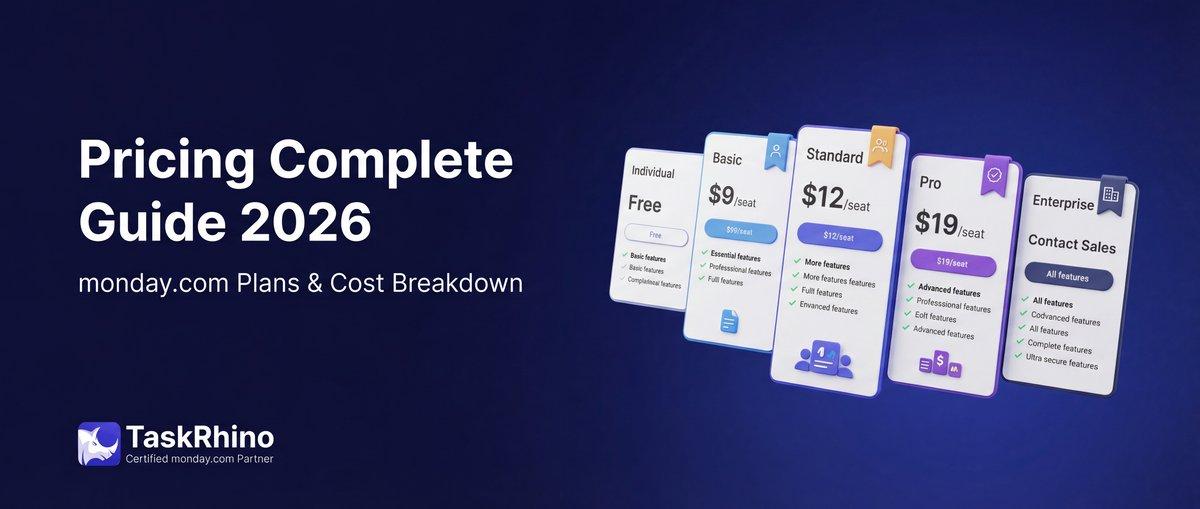
monday.com Pricing 2026: Complete Guide

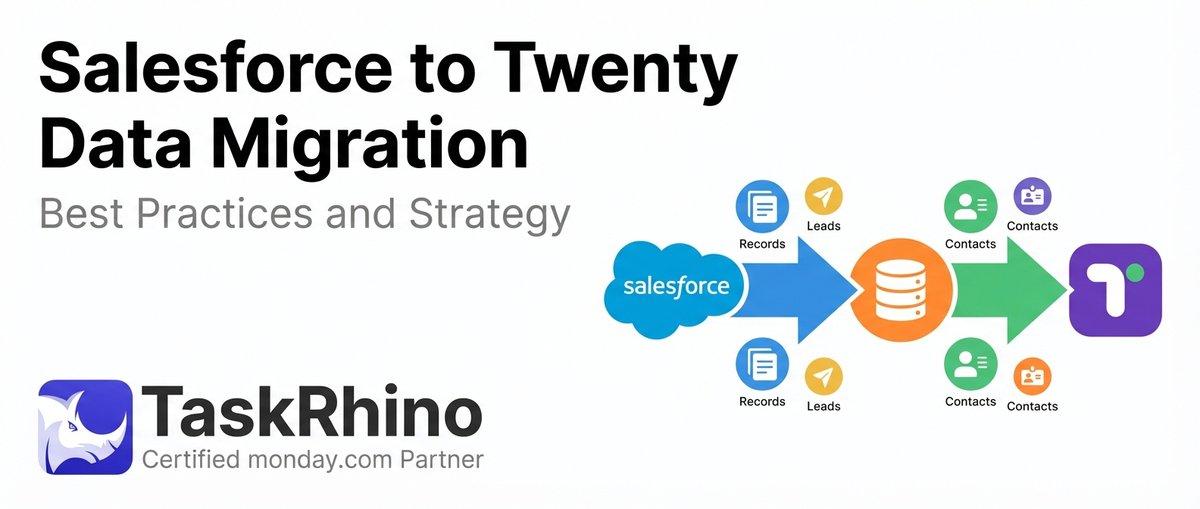
Salesforce to Twenty Data Migration: Best Practices and Strategy
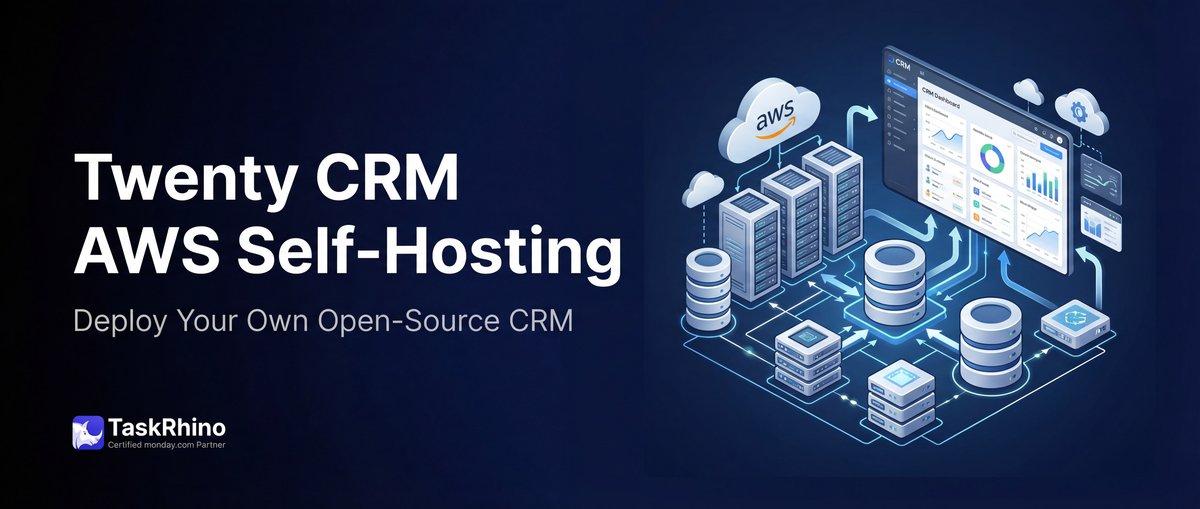
How to Self-Host Twenty CRM on AWS: Step-by-Step Guide